Articles Article
How we built browser login for Courier with the OAuth device grant
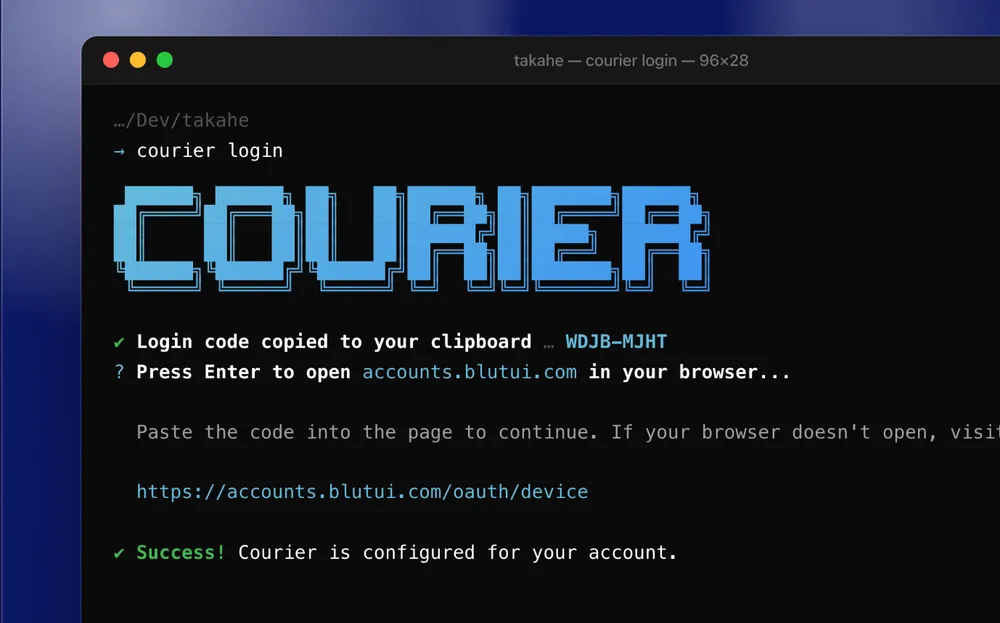
Courier now logs in through the browser with the OAuth device grant, and why we chose it over PKCE.
Product 5 min read
Background
Previously, Courier supported one authentication method: a personal access token passed on standard input. Setting up Courier on a new machine required the following steps.
Create a personal access token in the Blutui console.
Select the three required scopes:
project:read,cassette:readandcassette:write.Save the token to a file.
Run
courier login --token < token.txt.Delete the file.
Repeat the process when the token expires after 90 days.
This process had four main limitations.
Scope selection at setup
Users had to understand OAuth scopes before they could use the tool and the user had to create a new token.
Credential handling
The token was a long-lived credential stored in a plain file during setup. Courier asked users to delete the file after login but could not enforce it.
No renewal
Personal access tokens cannot be refreshed. When a token expired, every command failed until the user repeated the full process.
Per-user rather than per-device credentials
A personal access token identifies a user, not a device. A token used on several machines could not be revoked for one machine without affecting the others.
Requirements
The new login flow had to meet the following requirements.
Authenticate with a single command and an approval in the browser, with no scope selection or file handling.
Operate as a public client. A client secret embedded in a distributed binary can be extracted, so it provides no protection.
Work when the browser and Courier run on different machines, for example over SSH or in a container.
Use short-lived access tokens that renew automatically.
Continue to support personal access tokens for CI and other non-interactive environments.
Choosing a grant type
OAuth 2.0 defines two flows that suit public clients such as command-line tools. Neither requires a client secret.
The authorization code flow with PKCE (RFC 7636), applied to native applications as described in RFC 8252, uses a local redirect. The CLI starts an HTTP listener on a loopback address and opens the browser at the authorization endpoint. After the user approves the request, the authorization server redirects the browser to the loopback address with an authorization code. The CLI exchanges that code, together with the PKCE code verifier, for tokens.
The Device Authorization Grant (RFC 8628) uses no redirect. The CLI requests a device code and a user code from the authorization server and displays the user code. The user enters the code in a browser on any device. The CLI polls the token endpoint until the user approves the request or the request expires.
The main difference between the two flows is where the browser runs. The authorization code flow requires the redirect to reach the machine that runs the CLI. This is the case on a local workstation. It is not the case when Courier runs on a remote server, in a development container or in a cloud workspace. In those environments, the redirect to the loopback address reaches the user's local machine, where no listener exists, unless the user has configured port forwarding.
Authorization code with PKCE | Device grant | |
|---|---|---|
Browser location | Same machine as the CLI | Any device |
Local listener | HTTP server on a loopback port | None |
SSH sessions and containers | Requires port forwarding | Supported without configuration |
User action | Approve the request | Enter an 8-character code, then approve the request |
Network pattern | One token request after the redirect | Polling at a server-defined interval until approval |
Courier uses the device grant. It behaves the same in every environment where Courier runs, and it avoids the failure modes of a loopback listener, such as port conflicts and incomplete redirects that leave the CLI waiting. It also requires no callback page, because the authorization server hosts the approval page.
The trade-off is an additional step: the user must enter a code. On a local workstation, the authorization code flow is slightly more convenient. The implementation reduces this cost, as described below. The GitHub CLI takes the same approach for browser-based login.
How the flow works
The flow involves three parties: Courier, the Blutui authorization server at accounts.blutui.com, and the user's browser. Courier and the browser each communicate only with the authorization server.
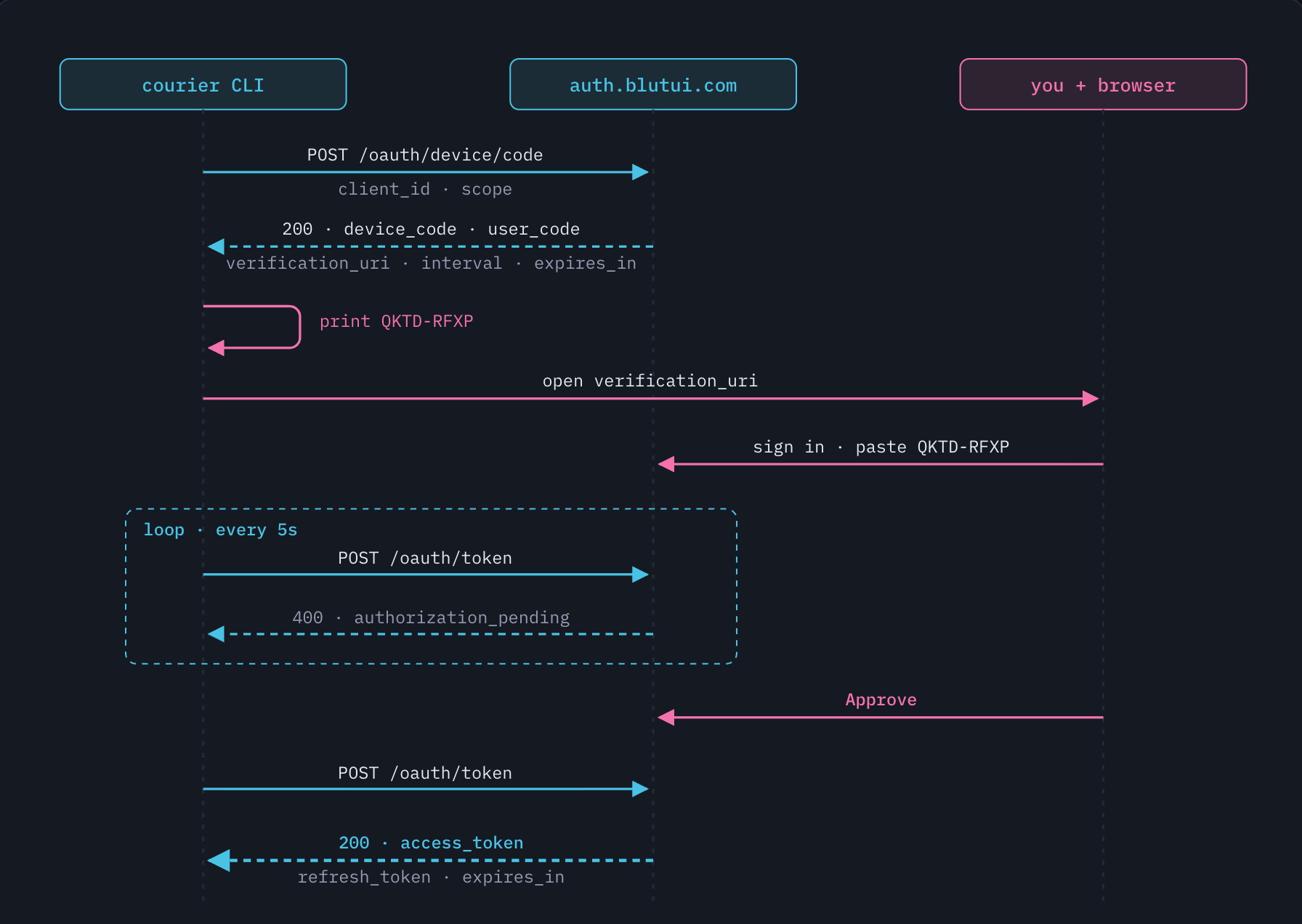
The device authorization flow in Courier. Blue marks communication between Courier and the authorization server. Pink marks actions in the user's browser.
Device code and user code
The device authorization response contains two codes with separate purposes.
device_code
GmRhm3s0XiZ7…
A high-entropy credential known only to Courier. Courier uses it to poll the token endpoint and never displays or logs it.
user_code
QKTD-RFXP
A short code that the user enters in the browser. It identifies the pending authorization request and cannot be exchanged for a token.
The device code never reaches the browser, and the user code cannot obtain a token. The two halves of the flow are linked only when the user enters the code.
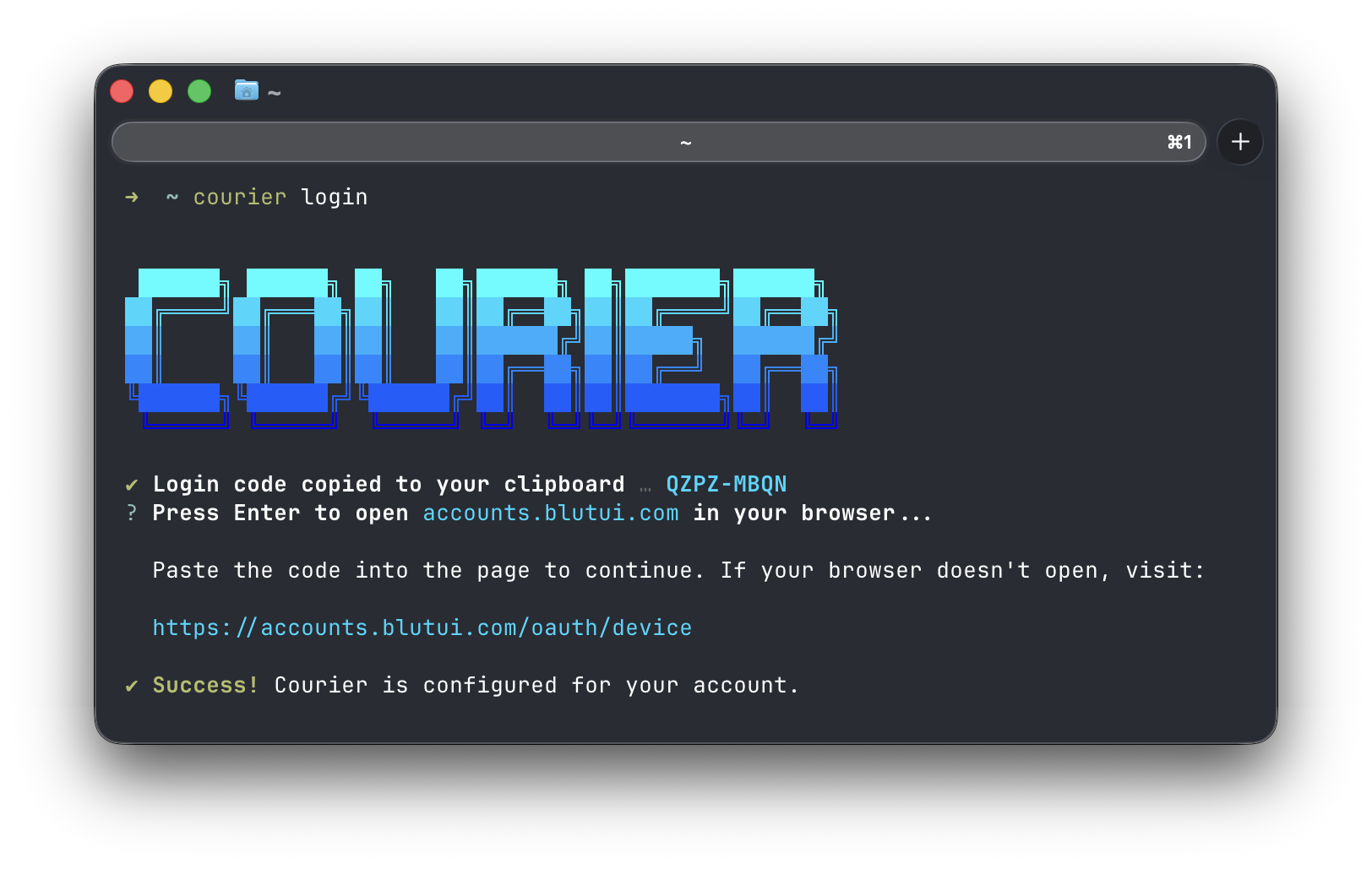
The terminal output during login is shown below.
Polling
While the user completes the approval, Courier polls the token endpoint at the interval that the server specifies. Until the user approves, the server responds with one of the error codes defined in RFC 8628, section 3.5. The following table lists how Courier handles each response.
Error | Meaning | Courier's response |
|---|---|---|
| The user has not completed the approval. | Waits for the interval, then polls again. |
| The client is polling too frequently. | Increases the interval by 5 seconds for the rest of the session. |
| The device code expired before approval. | Stops and reports a timeout. |
| The user declined the request. | Stops and returns the error. |
Other errors | Client misconfiguration, server or network failure. | Stops without retrying. |
The server returns all of these responses with HTTP status 400. The transport layer therefore reports them as errors, and the polling loop decides which ones to continue on.
switch errorCode(err) {
case errAuthorizationPending:
	// The user has not finished yet, keep waiting.
case errSlowDown:
	// We are polling too fast; back off for the rest of the session.
	interval += p.increment
case errExpiredToken:
	return nil, ErrTimeout
default:
	// access_denied, invalid_grant, or anything unexpected.
	return nil, err
}

timer.Reset(interval)
Session renewal
A successful login returns an access token and a refresh token. The access token is a JWT that is valid for 8 hours. The refresh token is valid for 6 months.
Courier renews the access token before a command runs, rather than after a request fails. If the token has expired, Courier exchanges the refresh token for a new token pair.
This keeps renewal logic out of individual commands. Long-running commands such as courier dev also start with a valid token.
The authorization server rotates refresh tokens: each refresh issues a new refresh token and revokes the previous one. Courier stores the new refresh token immediately. If it were lost, the user would have to log in again.
References
RFC 8628 OAuth 2.0 Device Authorization Grant. Section 3.5 defines the polling errors; section 5 covers security considerations.
RFC 7636 Proof Key for Code Exchange by OAuth Public Clients
RFC 8252 OAuth 2.0 for Native Apps. Section 8.5 covers client authentication for public clients.
More Articles
-

4 min read
Head in the Sand or Hair on FireMost agencies I talk to are standing somewhere on a line. At one end, nothing changes. At the other end, everything changes at once, with nobody holding the wheel.
-

6 min read
The Content Debt Nobody Budgeted For.Vibe coding made websites cheap to build. Turns out it's made them expensive to own. And the bill is landing on clients.
-
Agency Life 6 min read
The Confident Obituary Con.UI Isn’t Dead. It’s Time to Double Down.
-

Agency Life 4 min read
Agency Advisory | 22 Oct 2026 (NZT)Legacy PHP Vulnerabilities and Your Clients' Websites